Sun and Moon
Keeps track of the sun, moon and locations
(Last update - 2026-06-13)
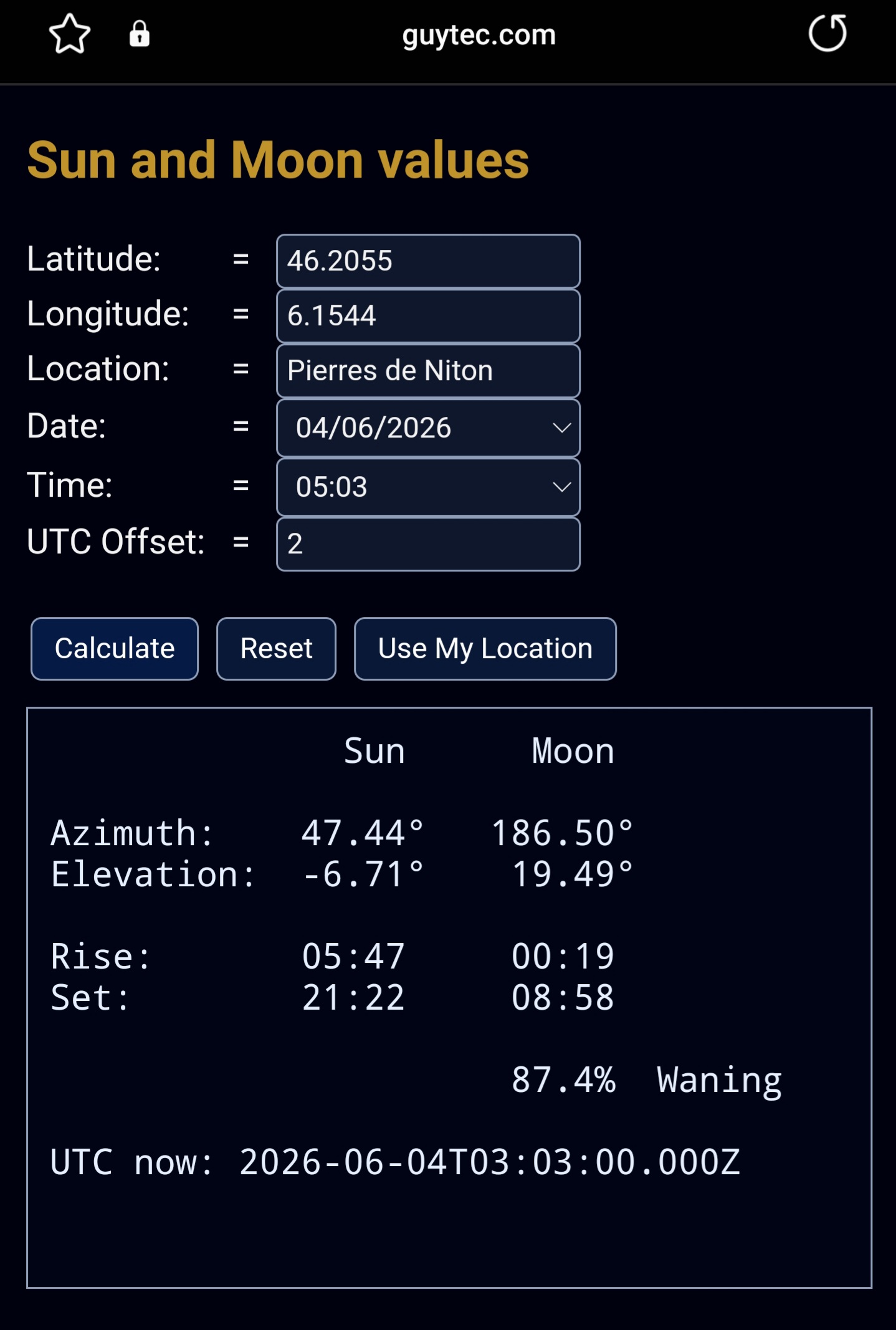
(tap the image or this link for a live version)
SunInfo features
Initial startup
Opening the web page for the first time shows by default your date and time and UTC. and Sun and Moon details for the Pierres de Niton.
The Pierres du Niton is a rock in the Geneva harbour, located at 373.6 metres above sea level, and is the reference point for all Swiss map heights.
If you press Reset it will always show the current data for this location.
Automatic update
With locations services running on your device tap "Use My Location".
If successful it will update your current coordinates and location.
They will be remembered unless you press Reset.
(Tap the location field to see all the information, scrollable, tap again to close expansion, or reload or refresh page.)
If you don't have location services running on your device, enter your coordinates [and optionally location] manually.
They will be remembered unless you press Reset.
Any time the page is refreshed or reloaded it calculates and shows the current data.
Manual usage for other locations
Latitude, Longitude, Date, Time and UTC can be entered manually and then, use Calculate to see the situation at that place.
The fields entered are remembered [until Reset].
In this mode only use Calculate as a page reload or refresh will always update the date, time and UTC to your local time and show the new values.
After a page reload or refresh be sure to check the desired date, time and UTC before pressing Calculate, especially if the chosen coordinates are in another time zone.
Conditions
UTC is an important field to get the correct readings and depends on whether DST is active or not, and is right for the time and location.
Tips
With locations services running on your device, tap "Use My Location"any time, to find out where you are.
With this web page you can always know where everything is, including you! Lol
Initial startup
Opening the web page for the first time shows by default your date and time and UTC. and Sun and Moon details for the Pierres de Niton.
The Pierres du Niton is a rock in the Geneva harbour, located at 373.6 metres above sea level, and is the reference point for all Swiss map heights.
If you press Reset it will always show the current data for this location.
Automatic update
With locations services running on your device tap "Use My Location".
If successful it will update your current coordinates and location.
They will be remembered unless you press Reset.
(Tap the location field to see all the information, scrollable, tap again to close expansion, or reload or refresh page.)
If you don't have location services running on your device, enter your coordinates [and optionally location] manually.
They will be remembered unless you press Reset.
Any time the page is refreshed or reloaded it calculates and shows the current data.
Manual usage for other locations
Latitude, Longitude, Date, Time and UTC can be entered manually and then, use Calculate to see the situation at that place.
The fields entered are remembered [until Reset].
In this mode only use Calculate as a page reload or refresh will always update the date, time and UTC to your local time and show the new values.
After a page reload or refresh be sure to check the desired date, time and UTC before pressing Calculate, especially if the chosen coordinates are in another time zone.
Conditions
UTC is an important field to get the correct readings and depends on whether DST is active or not, and is right for the time and location.
Tips
With locations services running on your device, tap "Use My Location"any time, to find out where you are.
With this web page you can always know where everything is, including you! Lol